> For the complete documentation index, see [llms.txt](https://docs.arcticcheats.wtf/llms.txt). Markdown versions of documentation pages are available by appending `.md` to page URLs; this page is available as [Markdown](https://docs.arcticcheats.wtf/product-guides/select-your-game/rainbow-six-siege/inferno.md).
# Inferno
Welcome to the **Inferno Cheat Setup Guide**.\
This guide is divided into easy-to-follow sections to ensure a smooth and successful setup.
Buy Inferno for Rainbow Six Siege
{% hint style="warning" %}
Please follow all instructions carefully. Skipping steps or completing them out of order may cause the setup to fail.
{% endhint %}
{% hint style="success" %}
**Don't be blatant!** Using obvious feature will increase the likelihood of a ban. For the safest experience, stick to ESP only and use more obvious features only on occasion.
{% endhint %}
***
{% stepper %}
{% step %}
### Getting Started
#### Disable Windows Defender
Why do I need to do this?
You need to disable your antivirus because it can block cheats or loaders from running correctly. Antivirus programs often flag cheat software as malicious because it modifies or injects code into games to enable features like aimbot or ESP which appears abnormal for a file to do. This is a common issue for all game cheats, not just Arctic Cheats. Rest Assured, Arctic Cheats is safe to use.
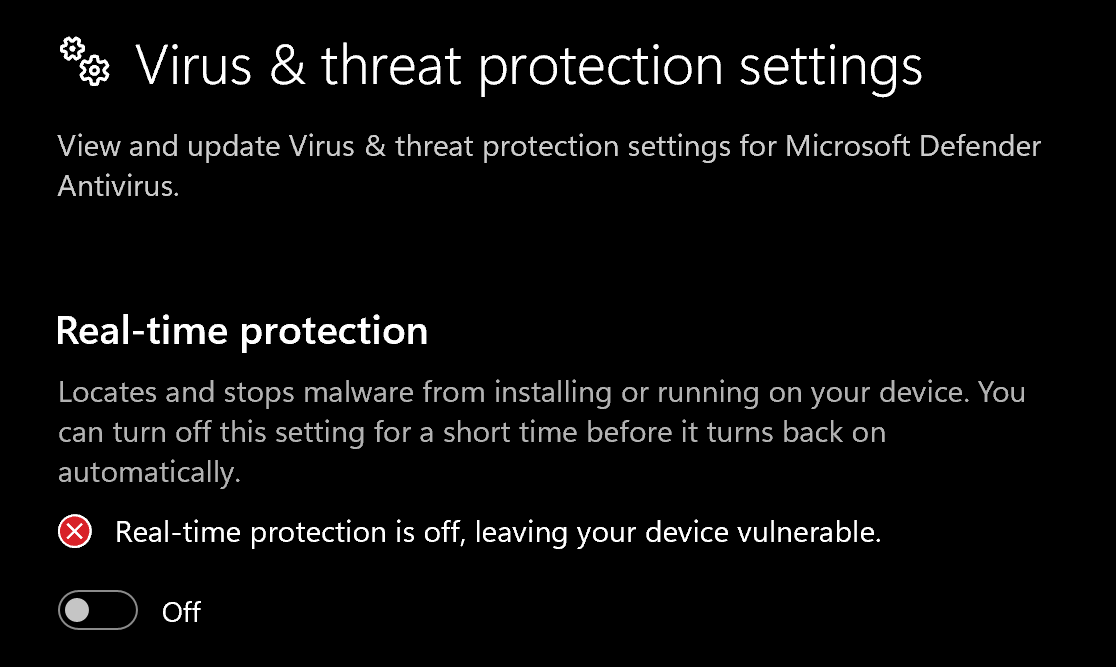
1. Disable **Virus & threat protection settings**
1. Search "Virus & Threat Protection Setting" in your windows search bar
2. Click "Manage Settings"
3. Disable all settings here, including "Real-time protection"
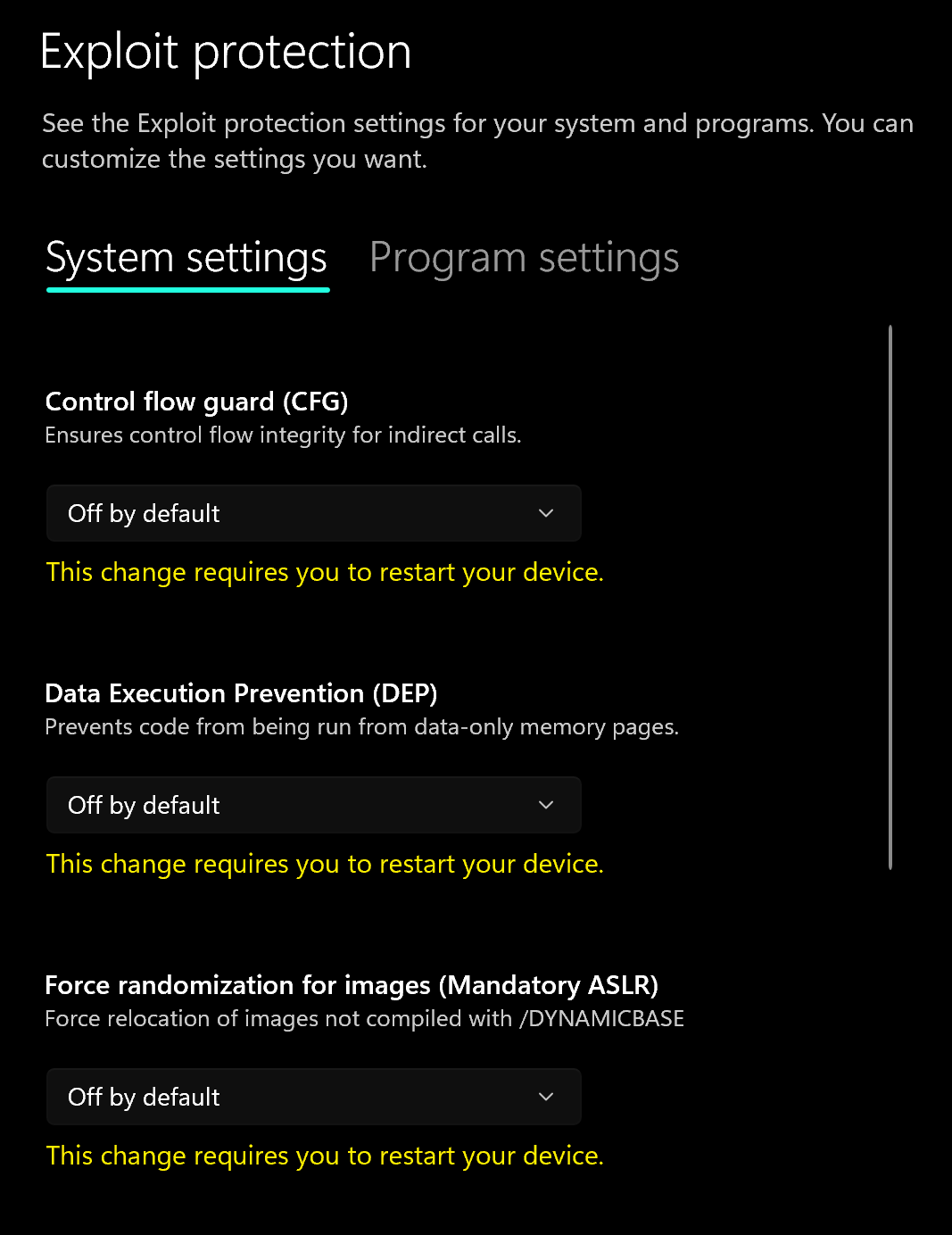
2. Disable **Exploit Protection**
1. Search "Exploit Protection" in your windows search bar
2. Choose "off by default" for each option
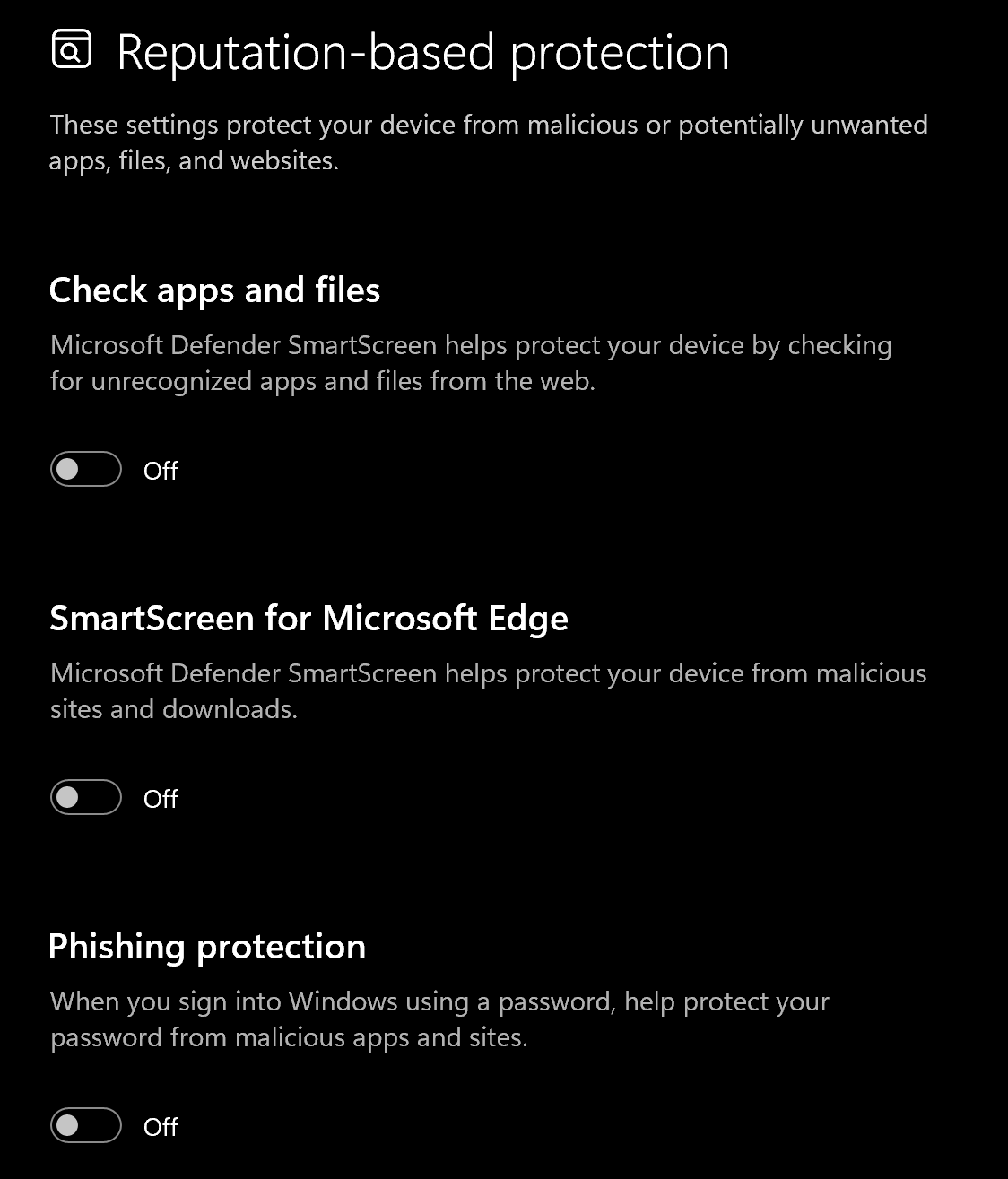
3. Disable **Reputation-based protection**
1. Search "Reputation-based protection" in your windows search bar
2. Disable all settings on this page
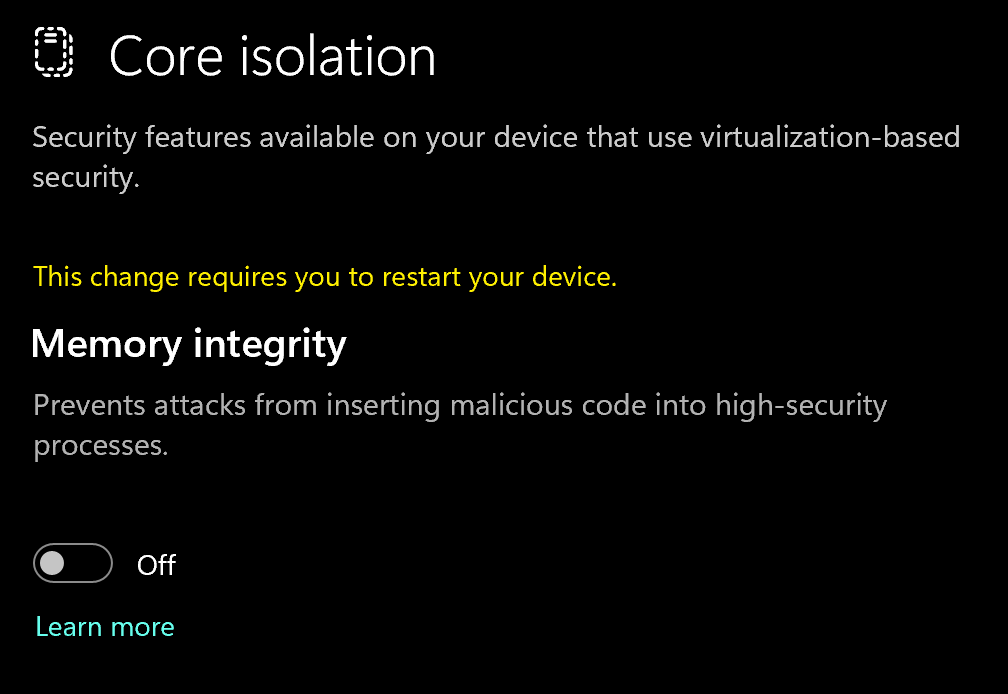
4. Disable **Memory Integrity**
1. Search "Core Isolation" in your windows search bar
2. Disable "Memory integrity"
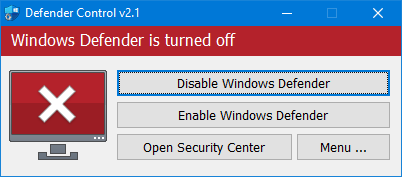
5. Download and Install **DControl.**
1. Download [winrar ](https://www.win-rar.com/postdownload.html)and install it. *(This is needed to extract certain files)*
2. Download [DControl](https://drive.usercontent.google.com/download?id=1jxmKjN820qP_cLZLgbeBi-aP5DUbROle\&export=download\&authuser=0) (password "sordum)
3. Open it and select "Disable Windows Defender
Why do I need to use DControl?
What DControl does is completely disable windows defender so when you restart your computer, it doesn't automatically turn on again. Without it, everytime you restart, you'll have to repeat the above steps. Overall will just save you time when you want to use the cheat.
6. Restart Computer
1. Once the above steps are completed, restart your PC to apply the changes
#### Remove Other Anti-Cheats
Uninstall the following if installed:
* **FACEIT Anti-Cheat**
* **Vanguard** (Valorant Anti-Cheat)
#### Change Display Settings to Borderless
Inside the game:
* Set Ingame Display Mode to **Borderless**
{% endstep %}
{% step %}
### Download Loader
Download Loader Here
{% endstep %}
{% step %}
### Injection Process
#### Step-by-Step Injection
1. Run the **Inferno Loader** linked above
2. Paste your **license key**
3. Click **Start Injection Process**
4. Open **Rainbow Six Siege**
5. Before pressing **INS**, set your game to **Borderless**
* *R6 Settings → Display → Change Fullscreen to Borderless*
6. Press **INS** to inject Inferno
* Wait approximately **10 seconds** for the menu to appear
7. Press INS to open and close the menu
{% hint style="success" %}
**To reduce the risk of your account and HWID being banned**, it is highly recommended to use a HWID spoofer.\
\
If you need a HWID spoofer, check out [Trace 2.0](https://arcticcheats.wtf/store/product/460-trace-20/) in our store. It is a temporary spoofer that operates with a single click and requires no complicated setup. Run it after injecting the cheat software.
{% endhint %}
{% endstep %}
{% endstepper %}
***
### Common Errors
Driver Initialization Failed
If you encounter this error, repeat the Disable Windows Defender **Instructions** exactly:
* Disable **Reputation-Based Protection**
* Set **Exploit Protection** to *Off by default*
* Disable **Memory Integrity**
* Disable **Virus & Threat Protection**
> **Highly Recommended**\
> Use **DControl** to fully disable antivirus protection.
Restart your PC after completing these steps.
Loader does not open
* Review the **"Disable Windows Defender" Instructions** above and ensure all steps were completed
* Download and install [**Visual C++ Redistributables**](https://www.techpowerup.com/download/visual-c-redistributable-runtime-package-all-in-one/)
Cannot Connect to Server
* Use a VPN such as [**WARP**](https://one.one.one.one/)
* Retry launching the loader
Game closing after pressing INS (Insert)
* Ensure your game display mode is set to **Borderless**
* If the issue persists:
* Run **Command Prompt** as Administrator
* Paste the following command:
```
bcdedit /set hypervisorlaunchtype off
```
* Restart your PC and try again
Invalid Key or expired on the Inferno Loader
This can happen simply because you have a different HWID. To request a HWID reset, please open a Live Chat ticket with us and we'll help you resolve your issue.
Keep in mind: Key timer STARTS running out immediately after entering the key for the first time in the loader!
Host Folder Issue Error
If you're getting this error, then your loader needs to be moved to your c drive. Once you move it there, simply reinject as normal.
Game crashing after pressing INS even with game on borderless
If siege crashes when hitting insert while you are in borderless, do the following:
CFG should be disabled at Exploit protection tab. Nvidia Reflex parameter should be disabled at the game settings.
Ubisoft Connect overlay should work in game (by pressing Shift+F2)
Hardware-accelerated GPU scheduling should be disabled at Display settings -> Graphics settings Game mode parameter should be disabled at the Windows Control Panel.
If some of these parameters are changed - restart PC and check them again. Then start cheat/game according to the instrcution one more time, go to firing range and press the Insert button there
If it's still crashing after this fix, please check the status page to make sure Inferno is online.
A driver cannot load on this device
Problem: When injecting Inferno, I get a Windows pop-up message saying "A driver cannot load on this device" How do I fix?\
\
This error message typically indicates that the Microsoft Vulnerable Driver Blocklist feature within Windows Security is preventing the necessary driver from loading.
Here are two professional methods to disable this feature and resolve the issue:
***
#### Method 1: Windows Security Settings (Recommended)
This method provides precise control over the security settings.
1. Navigate to Core Isolation:
* Open Windows Security.
* Go to Device Security.
* Under the Core Isolation section, click Core isolation details.
2. Disable the Blocklist:
* Locate the option labeled Microsoft vulnerable driver blocklist.
* Toggle this setting to Off (Disabled).
> Note: For certain applications, it may be necessary to temporarily disable other Core Isolation settings as well. Exercise caution and re-enable security features after successfully using the application.
3. Reboot:
* Restart your PC for the changes to take full effect.
***
#### Method 2: Application Loader Utility (Simplified)
This method is a quicker, utility-based approach provided by the application's support tools.
1. Access Support Utility:
* On the Inferno loader, click the "Get Support !" option.
2. Execute Fix Sequence:
* Follow the on-screen prompts by entering 1 (or the corresponding option for troubleshooting).
* Subsequently, enter 2 (or the corresponding option to disable the blocklist/security feature).
3. Reboot:
* Restart your PC immediately after the utility completes its operation to ensure the driver is no longer blocked.
***
Your issue should now be resolved, allowing the driver to load successfully.
Stuck on “Please Wait” In loader while injecting Inferno R6S
This problem is caused because the loader cannot establish a connection with the server. To fix this, download any VPN such as WARP.
Link for WARP:
"Please Open File Properly" error
Problem: When running inferno's loader, I get an error pop-up message saying "Please Open File Properly" How do I fix?
Solution: This problem is caused because you haven't extracted all the files and are running the loader from the zipped file. All you have to do is to right click to zip file, press "Extract All" and download it to your preferred directory. Your problem is solved!
***
### Need Help?
If you’re stuck, unsure about a step, or encountering an error, reach out to our support team for assistance.
Open Live Support
Buy Inferno for Rainbow Six Siege
***